> For the complete documentation index, see [llms.txt](https://learn.islash.io/llms.txt). Markdown versions of documentation pages are available by appending `.md` to page URLs; this page is available as [Markdown](https://learn.islash.io/islash-insights/business-messaging-templates-for-marketing-utility-and-authentication-best-practices-inside.md).
# Business Messaging: Templates for Marketing, Utility & Authentication ((Best Practices Inside!)
Sending messages one by one, copy-pasting replies, and worrying about whether your customers see your updates?
That’s the old way. With WhatsApp Message Templates and iSlash AI, you can deliver messages at scale—and still make them feel personal.
[**Message Templates**](https://learn.islash.io/whatsapp-messaging-strategy/whatsapp-message-templates-with-islash-a-step-by-step-guide-2025-updates) aren’t just about saving time. They’re about starting conversations that matter, staying compliant with Meta policies, and converting attention into action.
Here’s how to make the most of them 👇
***
## What Are Message Templates?
Message templates are pre-approved messages you can send to customers who haven't messaged you in the last 24 hours. These templates must be submitted for approval by Meta before use.
***They are your first hello, your next-step reminder, and your limited-time offer.***
Think of them as conversation starters. The real goal? Get customers to reply.
That way, the session becomes a two-way conversation—which not only builds engagement but also lowers your cost. Once a user replies, you can send unlimited messages within the 24-hour session without additional charges.
Before we dive into the types of templates, it’s important to understand the **two main types** of conversations on WhatsApp:
### 1. Business-Initiated Conversations
These are messages **you send first**—outside the 24-hour window. They **require** [**approved templates**](#ember742), and are divided into 3 categories:
* **Marketing**
* **Utility**
* **Authentication**
> **Note**: Business-initiated messages are [**charged based on the number of conversations and the template category you use**](https://learn.islash.io/pricing-strategy/whatsapp-conversation-based-pricing-2025-updates).
### 2. Customer-Initiated Conversations
These happen when the customer **messages you first**. You can respond freely within a 24-hour window **without needing a template**.
They include:
* **Service** messages
> **Good news**: As of **1 Nov 2024**, customer-initiated (Service) conversations are **free of charge**.
***
## Three Types of Message Templates
Now that you know the difference, let’s explore the three types of message templates you can use on WhatsApp API
These templates are categorized based on intent and use case:
### 1. Marketing
Use for promotional messages, offers, new launches, product recommendations, or re-engagement.
**When to use:**
* When you want to promote a sale or product
* When you need to bring back customers who haven’t interacted for a while
* When you want to boost campaign reach via WhatsApp
{% hint style="success" %}
Example: “Hi Angel, we’ve got a 10% discount just for you—valid till 30/4/2025! Check out here!”
{% endhint %}
### 2. Utility
Used for transactional updates like order confirmations, shipping updates, or billing reminders.
**When to use:**
* Right after a customer places an order
* When there’s a change in their delivery status
* To send invoices, receipts, or subscription updates
{% hint style="success" %}
Example: “Hi Ace, your order #8888 has been shipped and will arrive by 18/4/2025. Check status here.”
{% endhint %}
### 3. Authentication
For sending one-time passcodes (OTP) during login, account verification, or transaction confirmations.
**When to use:**
* During customer login or password reset
* To verify sensitive actions or payments
{% hint style="success" %}
Example: “Hi Alan, your login code is 0888. It will expire in 5 minutes.”
{% endhint %}
***
### From Copy-Paste to Click-Send: Why Templates Save Teams Time
Templates don’t just live longer—they work smarter.
Once approved, you can reuse them again and again. Think of them like WhatsApp Business’s Quick Replies—but way more powerful.
✅ Templates can be customized
✅ Templates can be interactive
✅ Templates can even feel human
Instead of writing the same update 100 times, just hit send—complete with dynamic content, buttons, and automation triggers.
***
## Yes, They Can Be Personal: Variables & Dynamic Content
Templates don’t mean robotic messages.
With **variables** like {{1}}, {{2}}, and {{3}}, you create flexible message drafts. Dynamic content fills in those placeholders to personalize each message for the recipient.
Example:
* Variable: *Hi {{1}}, your order {{2}} has been shipped.*
* Actual Message: *Hi Sarah, your order #888 has been shipped.*
You can dynamically mention a customer’s name, product, time, order ID—even tailor upsells or follow-ups based on what they last bought.
> Personalized messages aren’t just nice—they work. They feel relevant and respectful, making customers more likely to respond, click, or complete a purchase.
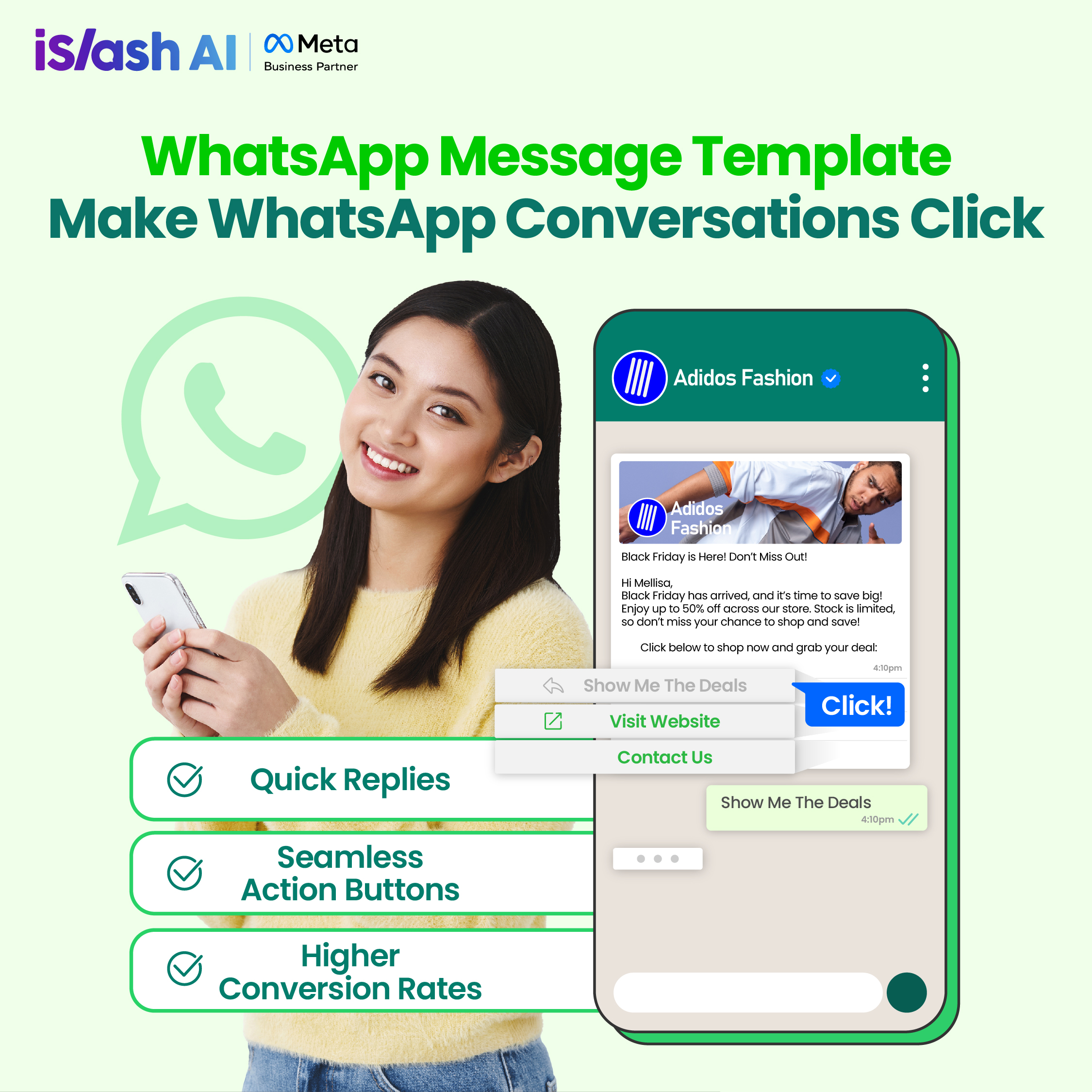
### Add-On That Converts: Headers, Footers, Buttons 🚀
Want customers to take action instantly? With [**iSlash AI**](https://islash.io/), you can make your message template rich, clear, and action-friendly:
* **Header (Optional):** Add context with text, image, document, or video.
* **Body Message (Required):** The main content of your message.
* **Footer (Optional):** Appears in italic grey text. (Commonly used for small notes like opt-in/opt-out instructions.)
> Pro Tip: Use the footer to clearly let users know they can reply or unsubscribe. It improves transparency and compliance.
### Make It Interactive: Add Reply Buttons
iSlash AI lets you **reply buttons** per message template. These increase customer engagement and streamline responses.
Here’s what you can add:
#### 1. Quick Reply
* A simple, tappable response
* Trigger automation like chatbots or workflows
* *Example: “Confirm Booking”, “Show More”, “Talk to Agent”*
#### 2. URL Button
* Link to a website, cart, payment page, etc.
* Customizable label and URL
#### 3. Phone Number Button
* Lets customers call you directly
#### 4. Flow Button
* Launch a WhatsApp-native form (Flow) to collect data easily
> **These buttons simplify the customer journey and boost conversion by reducing friction.**
***
## Approval Process & Template Status
Once you’ve designed your template, submit it for Meta review. This typically takes a few minutes to a few hours.
### **Template Statuses:**
* **Pending** – Under review.
* **Approved** – Ready to use.
* **Rejected** – Needs fixing
### Why Was My Template Rejected?
Avoid these common pitfalls:
❌**Content amp; Policy Violations**
1. Content doesn’t comply with WhatsApp’s Commerce Policy
2. Content violates WhatsApp’s Business Polic
3. You request sensitive info (like ID or banking details)
4. Language is threatening or abusive
❌**Parameter Formatting Issues**
1. Missing or mismatched variables—should be {{1}}, {{2}}, etc.
2. Non-sequential variables (don’t skip numbers)
3. The message ends with a variable—this is not allowed
✅ **Fixes:**
1. Rephrase or remove violating content
2. Replace sensitive data requests with secure alternatives
3. Ensure correct placeholder syntax and order
4. Add a closing sentence after your last variable
***
## Template Status: Monitor Performance
Even after approval, template status can change based on customer engagement.
Templates with *Active* status can still be used—but watch performance closely. Improve copy or targeting if status drops.
> **Monitor status** regularly and update poorly performing templates to avoid deactivation.
***
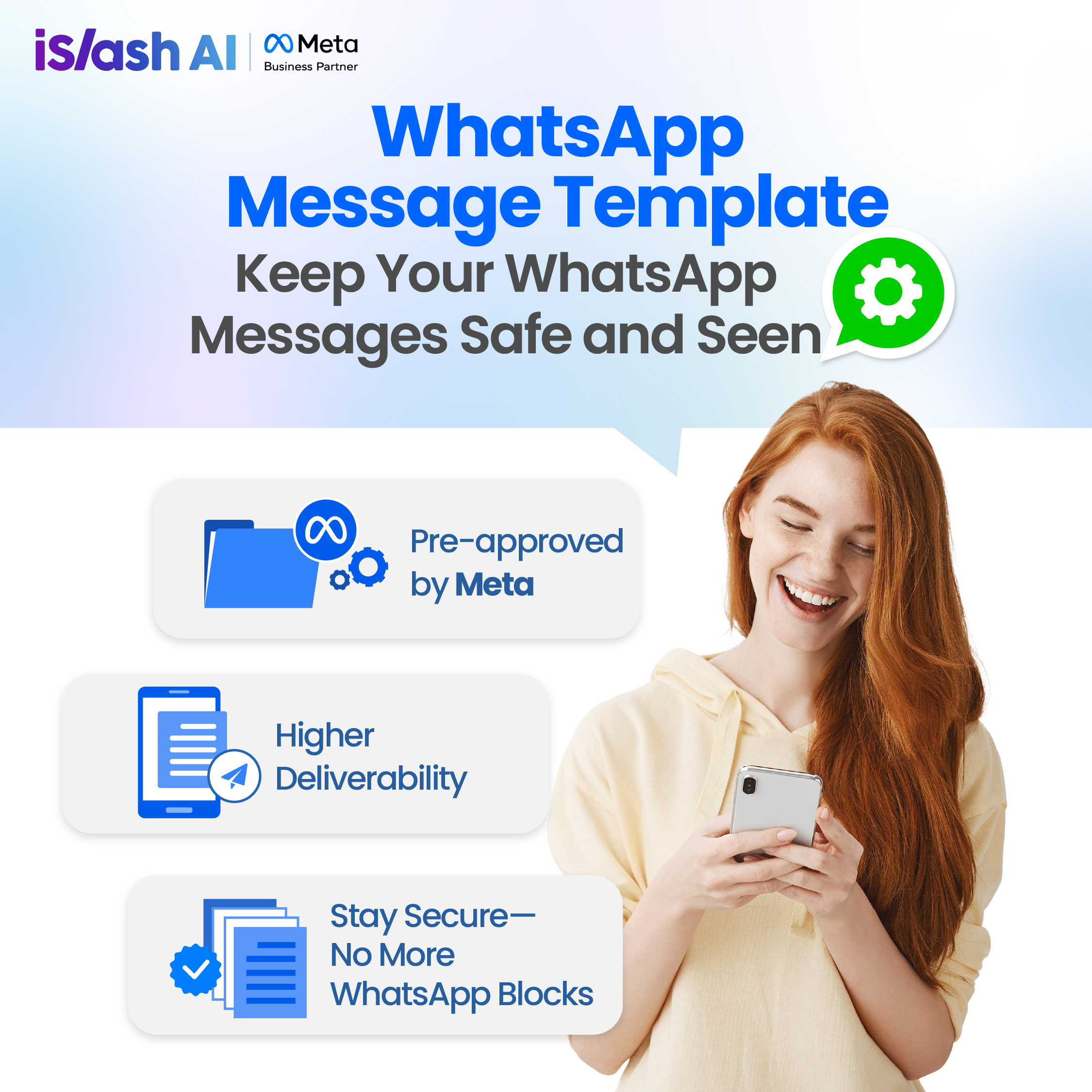
## Compliance Built-In: Why Official Templates Keep You Safe
Using iSlash AI + Meta’s Official API means:
✅ Every message complies with WhatsApp’s policies
✅ You follow policy without the guesswork
✅ You avoid spam flags and account suspension
Your team focuses on customers, not compliance.
***
### Quick Tips: Template Writing Do’s & Don’ts
✅ Do:
* Keep messages short and clear
* Use a friendly, human tone
* Add a clear CTA
❌ Don’t:
* Cram too much info
* Sound robotic
* Send irrelevant offers
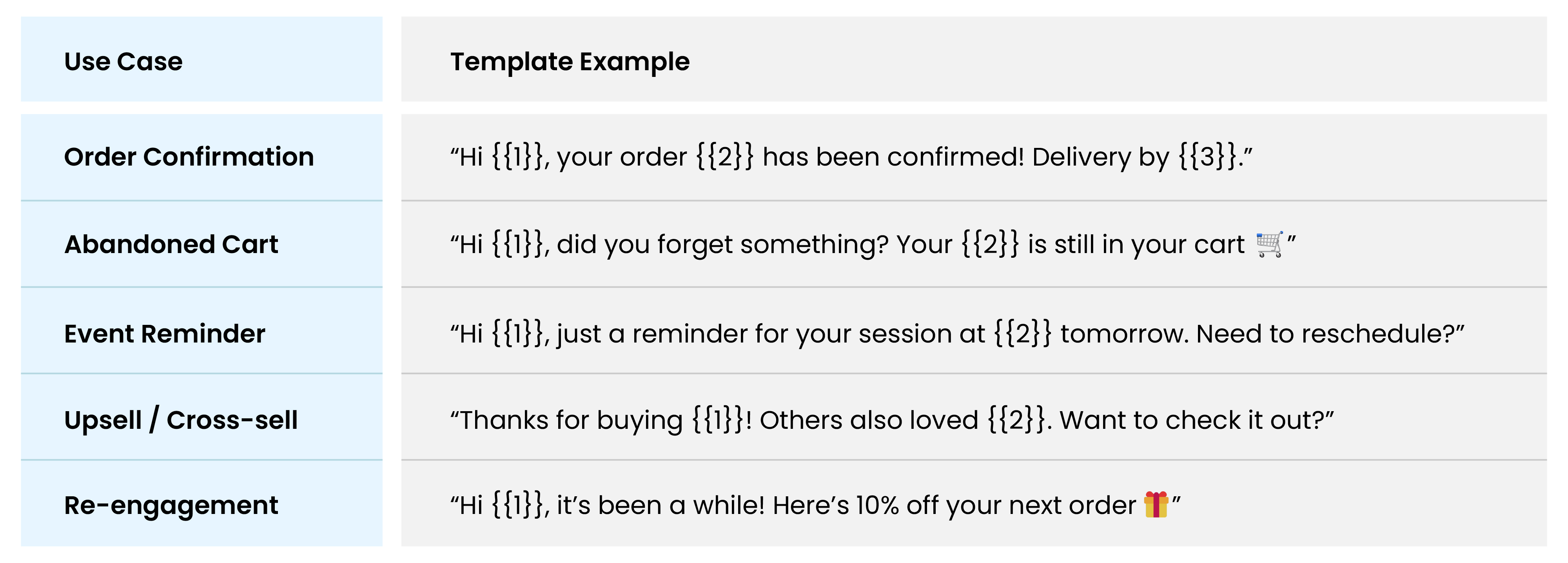
## Best Practice Templates (With Examples)
When customers reach out, they expect fast answers. Templates deliver key information instantly. Here are some examples:
***With iSlash AI, you can even automate messages based on user actions:***
* Booking confirmation → instantly send details
* Payment completed → send payment success message + thank you
{% hint style="success" %}
**💥 Automate more. Close more.**
{% endhint %}
***
## TL;DR — Why iSlash AI + Official WhatsApp API?
✨ Templates you can customize, approve, and scale
📋 Interactive elements that simplify replies
🔒 Official API that avoids limits and suspension
🎯 Better engagement, higher conversion, lower cost
Start sending smarter messages today. [**Book a demo with iSlash AI**](http://bit.ly/iSlashDemo) and discover how easy it is to **broadcast**, **automate**, and **convert**—with message templates that work.
***
Have fun exploring! :smile: