> For the complete documentation index, see [llms.txt](https://learn.islash.io/llms.txt). Markdown versions of documentation pages are available by appending `.md` to page URLs; this page is available as [Markdown](https://learn.islash.io/zh/whatsapp-marketing/whatsapp-business-api-dui-hua-lei-bie-yu-shou-fei-zhi-du.md).
# WhatsApp Business API對話類別與收費制度
:arrow\_forward: [English Version](/whatsapp-messaging-strategy/boost-communication-with-message-templates.md)
### 進軍國際市場:首選 WhatsApp Business API
訊息傳遞已成為人們日常生活中不可或缺的一部分。在眾多通訊平台中,越來越多用戶選擇 WhatsApp 作為與企業溝通的首選管道,期望獲得即時、個人化的對話體驗。
WhatsApp Business API 是中小型企業及追求自動化的企業的理想選擇。它結合了先進的人工智慧技術,提供智能對話管理和個性化的客戶互動,幫助企業更迅速地回應客戶需求。藉由 AI 驅動的功能,企業能夠在提升服務質量的同時,擴大市場份額並增強競爭優勢。
這不只是聊天,更是完整銷售與行銷流程的一環——從**發現**、**考慮**、**購買**、**售後服務**到**再行銷**,都可以在 WhatsApp 上一氣呵成。
## WhatsApp API 的對話類別
### 1. 由顧客主動發起的對話
* 歸類為**服務對話**,由客戶發起的對話。
* 香港地區收費:免費
### 2. 由商家發起的對話
#### 2.1 工具對話
* 訊息內容跟交易有關,用於訂單確認和付款通知。例如,客戶購物後,您可以自動發送訂單詳情和配送信息。
#### 2.2 營銷對話
* 促銷和推廣訊息。透過個性化折扣碼,向目標客戶群發送促銷活動。
#### 2.3 驗證對話
* 包含用戶驗證和安全性檢查。例如,當客戶登入賬戶時,發送驗證碼以確認身份。
## 善用免費交流時間
WhatsApp 現在提供更長的免費進入點對話時限,從 24 小時延長至 72 小時。這讓企業能夠在顧客發起對話後,有更多時間進行有效跟進。
只要您的客戶是通過 Facebook & Instagram 的 Click-to-WhatsApp 的廣告,又或者是從 Facebook 專頁上的 CTA 按鈕,向您發起 WhatsApp 對話,並且您在 24小時內回復時,將會啟動**免費對話**。
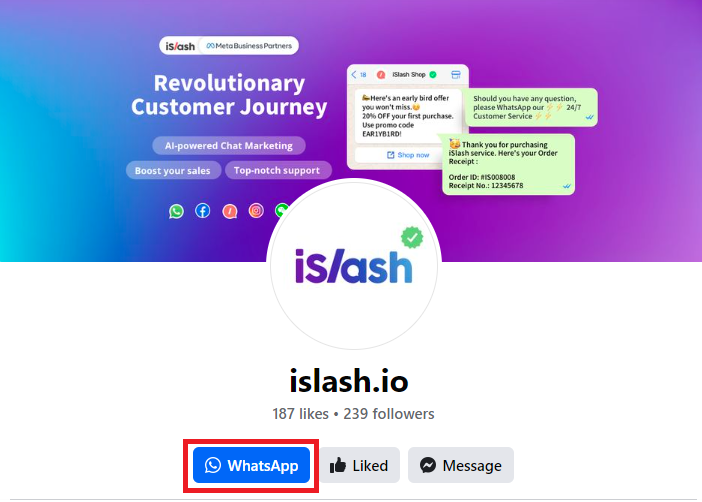 這段對話可以持續 72小時,期間無需額外費用,您可以發送任何訊息類別。若未在 24小時內回復,需使用訊息模板重新聯繫。費用則按訊息類別計算。
 ## iSlash 團隊:引領AI智能商務新時代
iSlash 團隊已幫助多家企業在 WhatsApp 營銷中實現顯著提升,讓自動化流程更加高效且具創意。如果您也想體驗 WhatsApp 的無限潛力,歡迎預約並註冊 iSlash 賬號!
***
## iSlash 團隊:引領AI智能商務新時代
iSlash 團隊已幫助多家企業在 WhatsApp 營銷中實現顯著提升,讓自動化流程更加高效且具創意。如果您也想體驗 WhatsApp 的無限潛力,歡迎預約並註冊 iSlash 賬號!
***